

21 / 04 / 2026
We’re so happy for being able to give a talk at GodotCon! We talked about how to use the QA mindset to improve the quality of our games. The goal was to help indie/beginner teams without a lot of resources. This post containes slides, code samples and references links to help you start doing QA for your game.
If you need help with QA, automation or making your game, contact us!

Click the following image to download a copy of the talk slides:
The basic structure to write an integration test is:
An example test definition could be:
Scenario: Player hit by ball
Given the player object
  And the ball object
When  the ball moves towards the player and hits it
Then  the player detects the hit
  And the player moves in the opposite direction from where the ball hit it
And the implementation for that test in GDScript, using GUT:
func test_player_hit_by_ball() -> void:
	#GIVEN
	var test_scene: Node3D = add_child_autofree(_test_scene.instantiate())
	var player: Player = test_scene.find_child("Player")
	var original_player_position: Vector3 = player.global_position
	watch_signals(player)
	var ball: Ball = test_scene.find_child("Ball")

	#WHEN
	ball.velocity = Vector3(0, 0, 4)
	await(wait_for_signal(player.player_hit_by_ball, 2, "wait for hit"))
	# wait for hit animation to finish
	await(wait_for_signal(player.player_hit_ended, 2, "wait for hit"))

	#THEN
	assert_signal_emitted(player, "player_hit_by_ball", "player didn't receive hit")
	assert_almost_eq(player.velocity, Vector3(0, 5, 9), Vector3.ONE, "player was not pushed backwards")
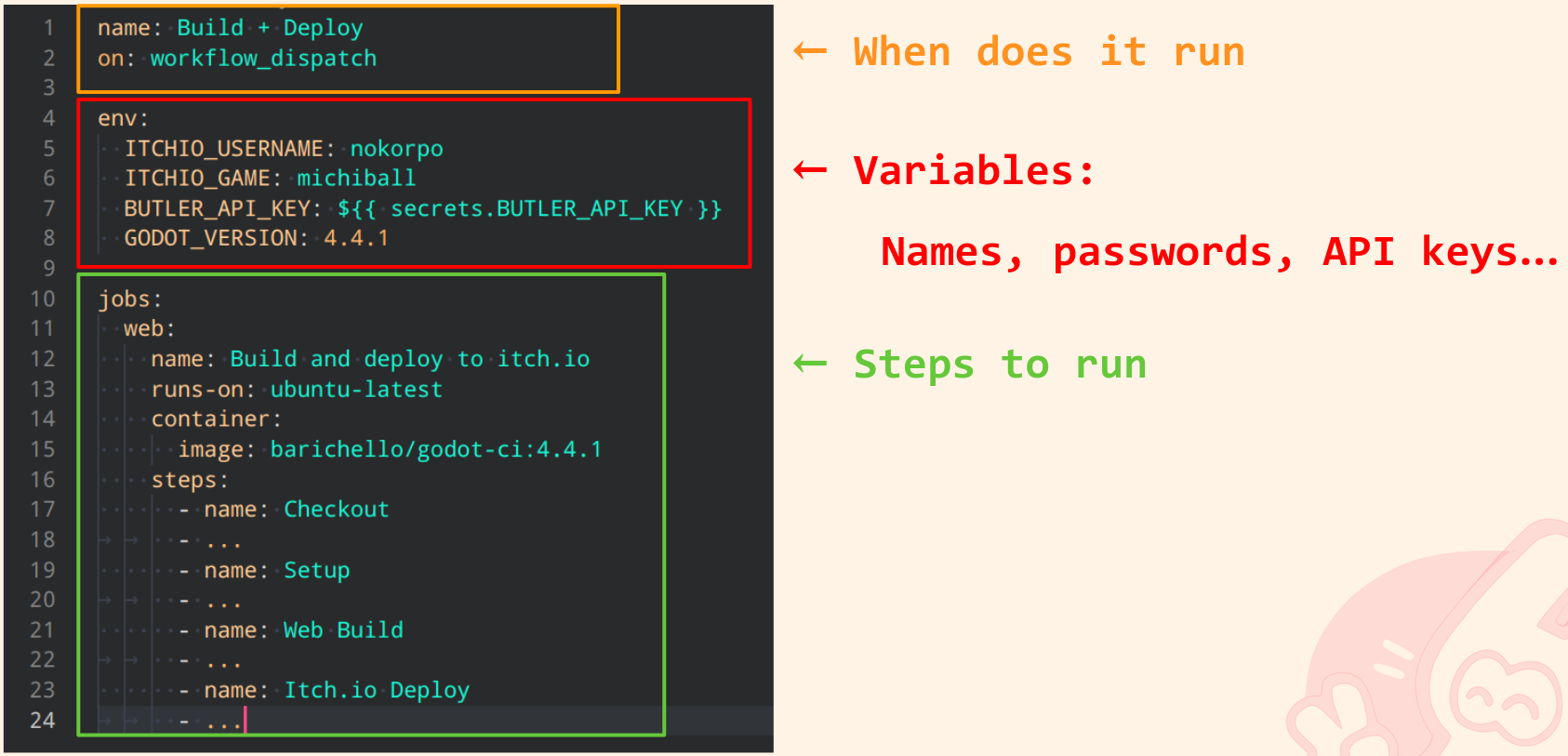
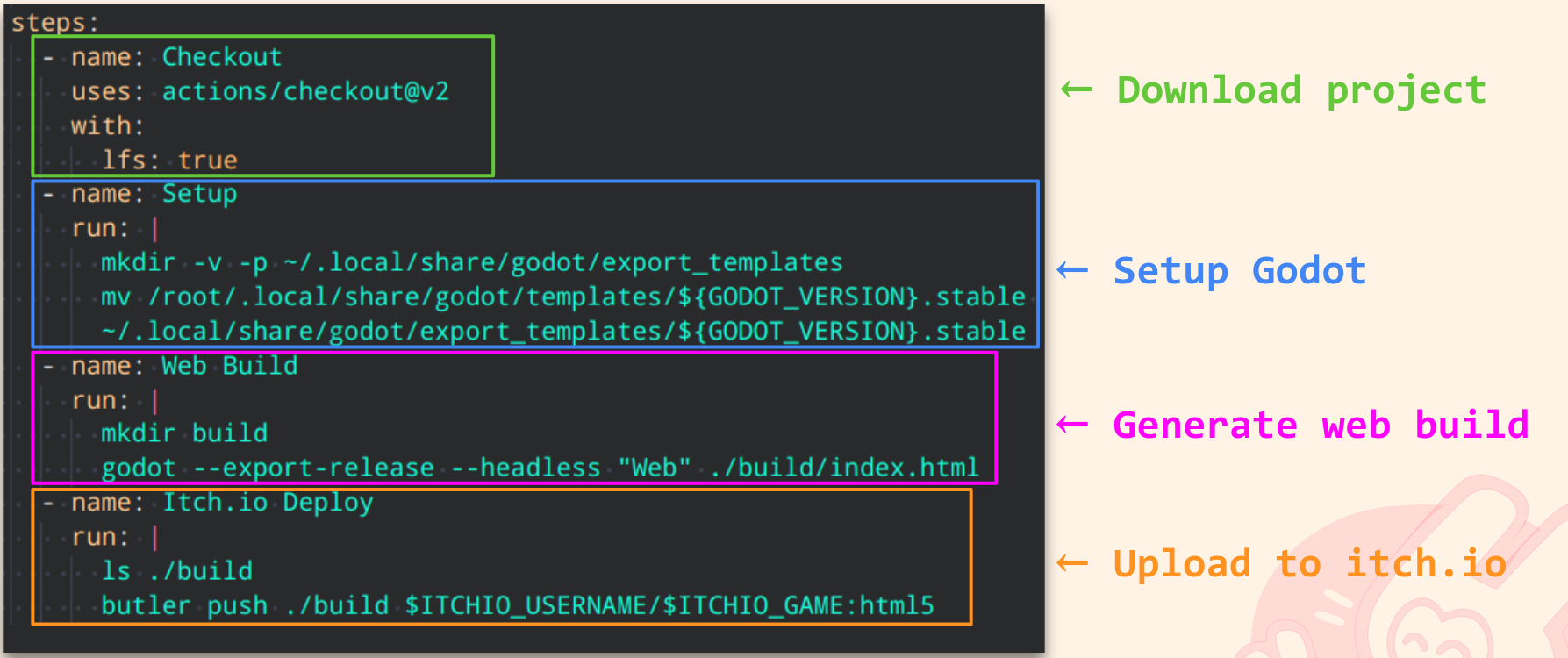
In the talk I mentioned Continuous Integration environments (CI). I couldn’t go into detail to explain how it works, but I shared the CI configuration we use for jam games. It generates a web build for a Godot game and publishes it on Itch, just by pressing a button.
You can find this configuration in the repository of our jam game Infinigrass.
To understand this file, we prepared some images that translate what it’s doing:
If you want more information about how to configure Github to use this script, I wrote a blog post about how to use it in my blog. This is a tutorial for people using a CI for the first time, so you can use it to learn more about how a CI environment works!
There’s a second blog post in the series which goes more into detail about Docker concepts like images and containers. Still want to know more? Check it out!
If you want to try the Screenshot Testing tool we made, you can do so here: GDSnap in Github.
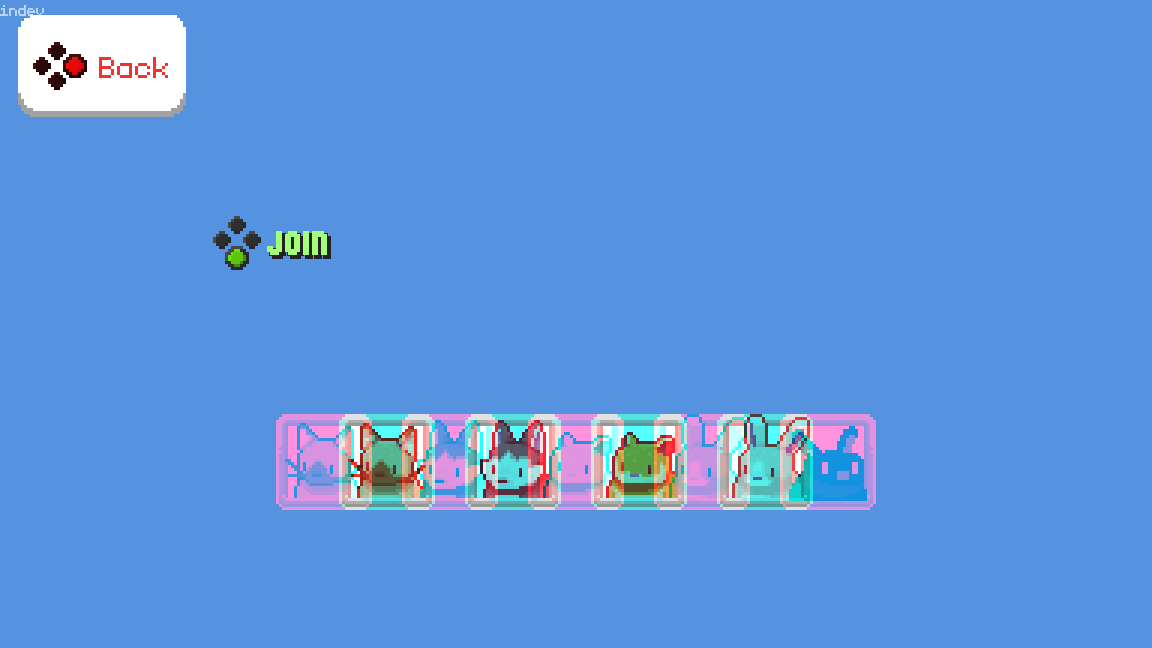
You can also find it in Godot’s Asset Library. Or you can download it directly from the editor, in the AssetLib section.
It has an MIT license, so you can do whatever you want with it. We’d love to see people extending it, writing issues or even creating versions for other engines! :)
If you want to know more about QA and testing, I’ll leave some links you might be interested in:
If you need help configuring this or kickstarting QA in your team, please contact us!